


All Document Reader & Viewer
4.083.00 Reviews
App Specs
- Version
- 5.2
- Updated On
- License
- Free
- Downloads
- 1,000,000+
- Developer
- Infinity Tech Systems
- Categories
- Productivity
- Platform
- Android
Screenshots

 Analysis by AppCompare
I judge a document app by a practical question: does it make the file I need easier to find and use, without turning a quick task into a project? All Document Reader & Viewer is aimed at that everyday need. It is a free productivity app from Infinity Tech Systems, and its focus is reading and working with documents rather than replacing a full desktop office suite.
What the free option means
You can start using the app without an upfront purchase, which makes it easy to try for occasional reading or basic document tasks. The app is rated for Everyone, and its current version is 5.0; it requires Android 6.0 or later. Optional in-app purchases are listed at $9.99 to $38.99 per item, so I would check what a purchase unlocks in the app before paying. The free starting point is useful, but it is not enough on its own to judge whether a paid option is worthwhile for your particular workflow.
Its average rating is 4.3 from around a thousand ratings, with about 40 written reviews, and it has passed a million installs. Those figures suggest it has found an audience, but I would treat them as context rather than proof that it will suit every reader. Document habits vary: someone who opens the occasional PDF has different needs from someone who edits files throughout a workday.
Getting Started with All Document Reader & Viewer
First things first, downloading All Document Reader & Viewer is a breeze. It’s available on both Android and iOS, so no matter which camp you're in, you can get in on the action. Once I had it installed, I was greeted with a clean and intuitive interface. Nothing too flashy, but sometimes that’s a good thing, right? It’s all about getting the job done without unnecessary distractions.
A Closer Look at the Features
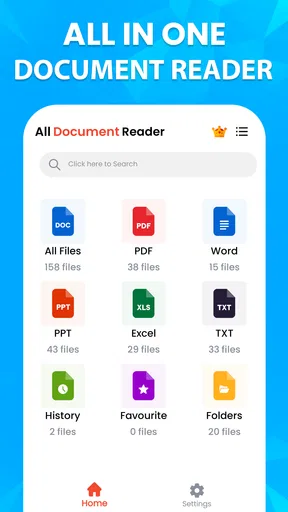
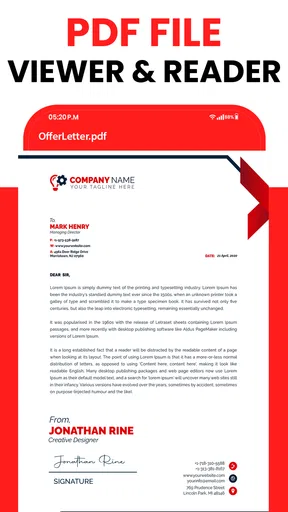
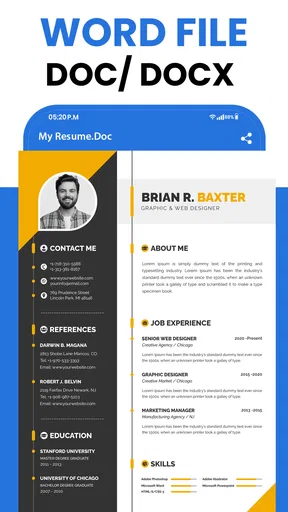
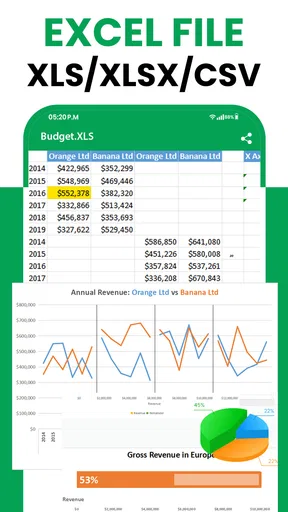
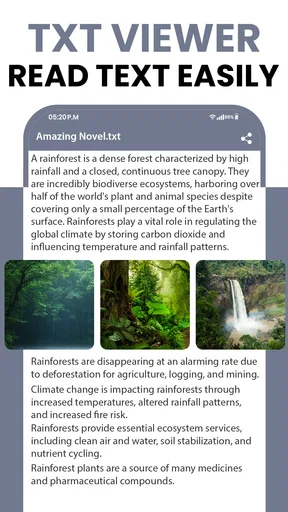
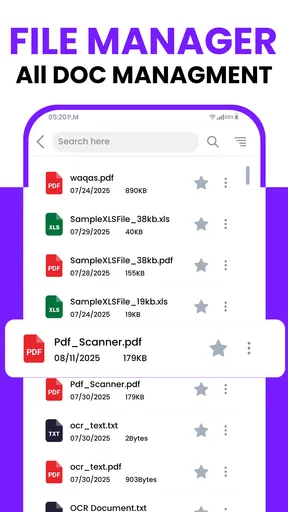
Now, let’s talk features. This app supports a wide range of document formats. We’re talking PDFs, Word docs, Excel spreadsheets, PowerPoint presentations, and even some of those lesser-known formats like RTF. It’s like having a Swiss Army knife for documents right in your pocket.
Scrolling through a PDF or a Word document was smooth, and I didn’t experience any lag, which is a huge plus. There’s also this handy search feature that lets you find text within documents. If you’ve ever had to sift through a massive PDF, you’ll know how much of a lifesaver this can be.
Organization and User Experience
One thing I noticed right off the bat was how well the app organizes your documents. It automatically sorts them into categories, which makes finding what you need super easy. You can view them by format or just search for a specific file. It’s all about saving you time and making your life easier.
Worth Reading Before You Choose

EA SPORTS FC Mobile 26 Is a Bigger Football Game, but It Takes Time

Flipboard Shows What News Apps Must Do Beyond the Feed

Switching to Android Auto Means Rethinking Your Driving Routine

Google Calendar Makes a Crowded Week Easier to Manage

Ludo King Makes the Most of the Minutes Between Plans

Baby Panda World Brings Quick Play to Modern Phones, but Its Game Library Feels Busy
The app also allows you to bookmark pages, which is perfect for when you’re juggling multiple documents and need to jump back to a certain spot quickly. I found this particularly useful when reviewing long reports.
Viewing and Editing Capabilities
Now, the app is primarily a viewer, but it does offer some basic editing features. Don’t expect to write a novel or create a presentation from scratch here, but for quick edits and annotations, it does the trick. You can add comments, highlight text, and even fill out forms. It’s pretty convenient for making those on-the-go changes.
One cool feature is the ability to convert files into different formats. So, if you need to change a Word document into a PDF, you’re covered. This is super handy for sharing files with folks who might not have the same software as you.
Security and Privacy Matters
Security-wise, the app lets you lock specific files with a password, adding an extra layer of security for sensitive documents. This is a great touch for users who deal with confidential information and need that peace of mind.
Matching the tool to the task
Where I see the most practical value is in a mixed-document routine: lecture notes in one format, a timetable or spreadsheet in another, and a PDF handout that needs a quick search. Instead of switching between separate reading apps, I can use one place to locate a file, scan it, and return to the relevant page. That convenience matters most when the goal is retrieval, not deep editing.
A useful habit is to search inside a document before scrolling manually, then bookmark the page where the important section begins. For a long report, I might search for a heading or a repeated term, check the surrounding context, and save the page for a later return. A search result can point me toward a phrase, but it does not replace reading the surrounding text; that distinction matters when a contract, instruction sheet, or report uses the same word in several places.
A realistic day with several files
Imagine I’m heading to a meeting with a PDF agenda, a Word draft, and a spreadsheet someone sent for review. On the way, I can use the reader to check the agenda, find a phrase in the draft, and look up a figure in the spreadsheet without opening a separate app for every format. If I need to mark a passage or fill in a form, the editing tools can cover a quick touch-up. I would still leave substantial rewriting and spreadsheet work for software built for those jobs.
That boundary is important: convenience is not the same as complete office functionality. A phone screen is fine for checking a paragraph or locating a value, but it is a poor place to compare many columns, redesign slides, or carefully revise a lengthy document. I would use this as a pocket reference and handoff tool, then move complex work to a dedicated editor when precision and layout control matter.
Where a general reader differs from specialist apps
Compared with the usual alternatives, a general document reader has a straightforward appeal: it can bring several common file types into one reading routine. A dedicated PDF app may be the better choice if nearly all your work revolves around PDF markup or specialized page tools. A full office suite is a stronger fit for creating and extensively editing spreadsheets, presentations, and text documents. The trade-off is focus: a multi-format reader can reduce app switching, while a specialist tends to provide a deeper toolkit for its main format.
I would also separate “can open a file” from “will preserve every detail exactly as intended.” If a document has a complicated layout, embedded elements, or formatting that must remain precise, I would check it in the software used to create it before sending it onward. For casual reading, an all-in-one reader is convenient; for final review of a polished deliverable, the original authoring app is the safer choice.
Small workflow choices that help
Automatic sorting is most useful when I keep filenames reasonably clear. If several files have similar names, format categories help narrow the pile, but a descriptive filename makes the final selection much less error-prone. I also treat bookmarks as temporary signposts rather than a substitute for a proper project system: they help me return to a page, while clear file names and folders still matter when a task spans many documents.
For sharing, conversion can save a step when the recipient needs a more convenient format, such as a PDF copy of a text document. I would open the converted file and check its layout before relying on it, especially if page breaks or formatting are important. This simple check prevents the common mistake of assuming that a conversion has preserved every detail just because it completed.
Who is likely to get value
I can see this being a good fit for students who mainly read handouts and search notes, commuters who want reference files on a phone, and anyone who receives documents in several formats but only needs occasional edits. It is also a reasonable starting point if you want to test a document workflow without paying upfront. The combination of browsing, search, bookmarks, quick annotations, and file conversion addresses a useful range of small tasks.
I would skip it as my main workbench if I needed advanced editing every day, dependable control over complex layouts, or a specialist PDF workflow. People handling sensitive work should also make a deliberate choice about which files to store and use the password-lock option thoughtfully; a lock is a helpful layer for selected documents, not a reason to treat a phone app as a complete security plan. If your employer or school requires a particular tool or storage process, follow that requirement instead.
Final Thoughts
All in all, All Document Reader & Viewer is a solid choice if you’re looking for a versatile document reader that doesn’t skimp on features. Whether you’re a student, a professional, or just someone who likes to keep their documents handy, this app has something for everyone.
It’s straightforward, effective, and doesn’t clutter your experience with unnecessary frills. So, if you’re on the hunt for a reliable app to keep your documents organized and accessible, give it a whirl. You might just find it to be the perfect addition to your digital toolbox!
My buy-or-skip verdict
I would try the free version if my everyday need were finding and reading mixed-format files, with the occasional annotation or conversion. I would not pay for an in-app item until I had identified the specific feature I wanted and confirmed its terms inside the app; the listed purchase range alone does not tell me whether it is good value for my use. If a free reader already handles my PDFs, or I need a full office editor, there is little reason to add another tool just for the sake of having one.
For the right person, the appeal is practical rather than dramatic: fewer format-related interruptions when checking documents on a phone. If that describes your routine, it is worth a try. If your work depends on precise editing, complex page control, or a required organizational setup, I would choose a specialist or desktop-oriented alternative instead.
Pros
- Supports multiple file formats effortlessly.
- Fast loading times for large documents.
- User-friendly interface with intuitive navigation.
- Offline access to saved documents.
- Customizable reading modes for better comfort.
Cons
- Advertisements can be intrusive at times.
- Limited editing features for documents.
- Some advanced features require a subscription.
- Occasional bugs in PDF rendering.
- No cloud storage integration available.
FAQs for All Document Reader & Viewer
What file formats can All Document Reader & Viewer open?
All Document Reader & Viewer supports a wide range of file formats, including PDFs, Word documents, Excel spreadsheets, and PowerPoint presentations. Additionally, it can handle text files, HTML, and various image formats. This versatility makes it an essential tool for anyone who needs to access multiple types of documents on the go.
Is All Document Reader & Viewer free to use?
The app offers a free version with basic features, allowing users to access and read documents without any cost. However, for advanced functionalities like ad-free experience, additional tools, and enhanced support, users might opt for the premium version through in-app purchases or subscriptions.
Can I edit documents using All Document Reader & Viewer?
While All Document Reader & Viewer is primarily designed for viewing documents, it does offer basic annotations and markup tools for PDFs. However, full editing capabilities are limited. For extensive editing, users may need to export documents to a dedicated word processor or spreadsheet application.
Does All Document Reader & Viewer require an internet connection?
No, All Document Reader & Viewer can open and view documents offline, making it highly convenient for users who need to access files without internet access. However, features like cloud integration or downloading documents from online storage may require an internet connection.
Is All Document Reader & Viewer compatible with cloud services?
Yes, the app integrates with popular cloud storage services such as Google Drive, Dropbox, and OneDrive. This feature allows users to easily access, view, and manage their documents stored in the cloud directly from the app, enhancing productivity and convenience.


